
CapCut vs AI Video Generation: Which One Are You Actually Choosing?
CapCut edits footage you already have; generation models create footage you do not. Where CapCut's own AI tools stop, what its Pro credits really buy, and when generating is the cheaper answer.
These get compared because both are labelled "AI video", but they answer different questions. CapCut is an editor: it assembles, cuts, captions and cleans up footage that exists. Generation models produce footage that does not exist. If you filmed the thing, you want an editor. If you did not, no editor will conjure it.
The genuinely interesting question is the overlap — CapCut has shipped a lot of AI, and it is worth knowing exactly where that stops.
What CapCut costs
Three tiers in 2026: Free, Standard at $9.99/month, and Pro at $19.99/month or $179.99/year. Pro includes 4K/HDR export, the full AI toolkit — avatars, voice cloning, text-to-video, camera tracking, vocal isolation — 1TB cloud storage and 1,200 AI points per month.
That last item is the part people miss. The generative features draw from a monthly credit pool, not unlimited use. Editing is unlimited; generating is metered.
The free tier is more capable than its price suggests: auto-captions, background removal, text-to-speech, smart cutout and the template library.
What CapCut does better
Everything downstream of having footage. Cutting to a beat, captions that actually sync, background removal, colour, aspect-ratio reframing, and the template library — which for trend-chasing is a real advantage, because the format is pre-solved and you just drop clips in.
If your workflow is "I filmed myself, make it publishable", the answer is CapCut and there is no debate.
What it cannot do
Put you in a scene you never filmed. Replace the performer in someone else's clip while keeping the choreography. Generate a shot from a description with your face in it. Those are model-level jobs, and CapCut's generative features are aimed at simpler ground: text-to-video from stock, avatars, voice-overs.
One relevant detail: as of March 2026 Seedance 2.0 has been rolling out inside CapCut for paid users in a specific set of markets — Brazil, Indonesia, Malaysia, Mexico, the Philippines, Thailand and Vietnam — with US access limited over IP concerns. So the generation model available to you inside CapCut depends on where you are. Separately, Seedance refuses real human likenesses at the model level, so even where you have it, it will not put your face in the shot.
What generation costs by comparison
Per-second prices read live on 2 August 2026:
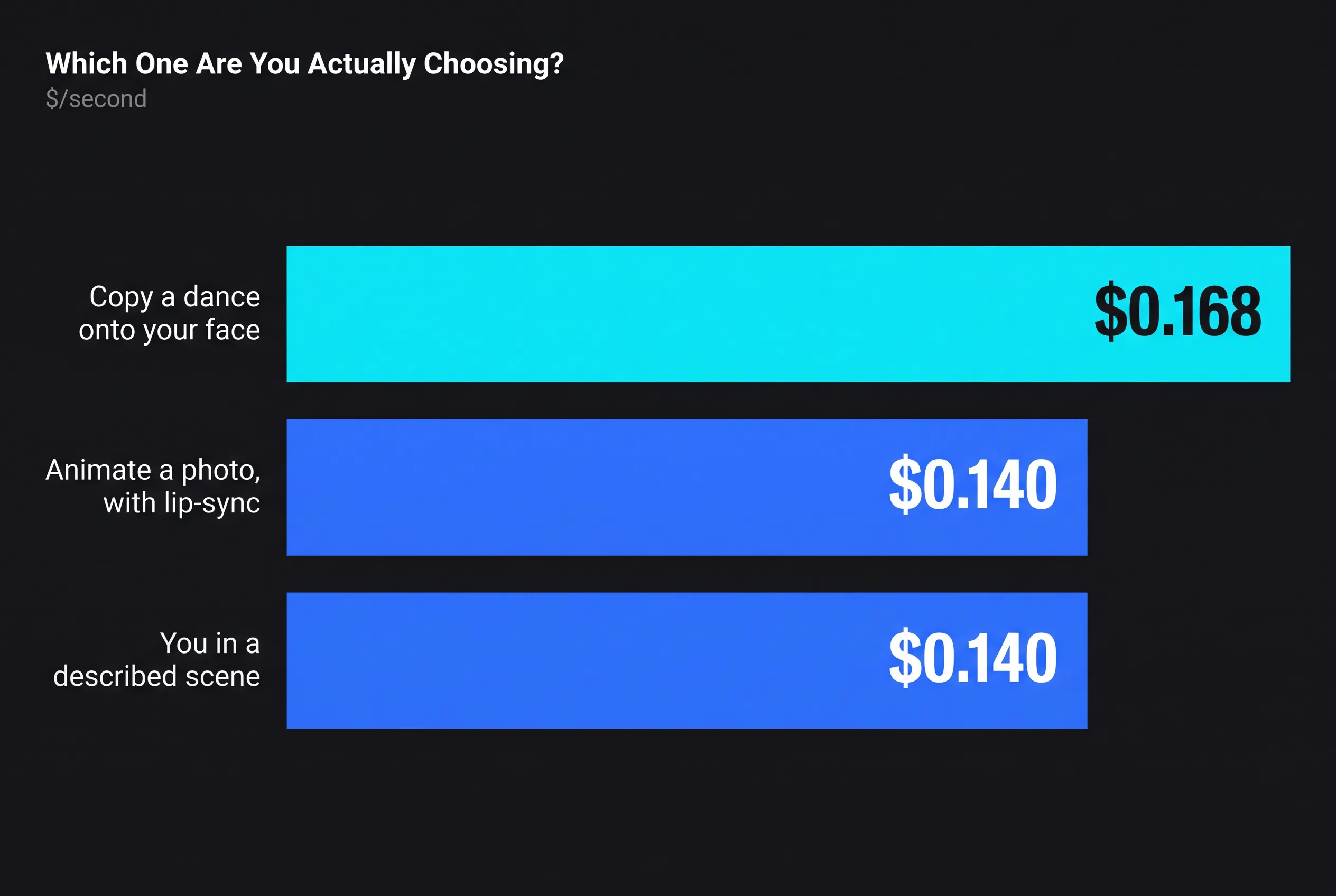
| Job | Model | $/second | 10s clip |
|---|---|---|---|
| Animate a photo, with lip-sync | HappyHorse 1.1 image-to-video | $0.140 | $1.40 |
| You in a described scene | HappyHorse 1.1 reference-to-video | $0.140 | $1.40 |
| Copy a dance onto your face | Kling 3.0 Pro Motion Control | $0.168 | $1.68 |
A CapCut Pro subscription is $19.99/month. Ten generated clips at model cost is roughly $14. If you generate occasionally, paying per clip is cheaper and you owe nothing in a quiet month. If you also need an editor every day, you were going to pay for CapCut anyway.
The honest recommendation
They are complements, not competitors. Generate the shot you cannot film; edit it in CapCut. The mistake is expecting either one to cover the other's half — and the specific version of that mistake we see most is people burning Pro credits trying to make an editor produce a performance that only a generation model can produce.
How to do this without code: If you have no footage to edit, generation is the other half, and you do not need an editor to get it. In AutoHustle this is the autopilot: paste the Reel link, add one photo of yourself and confirm the plan (about 4 credits per second of finished video, so 60 credits for a full 15-second call; analysing the Reel is free). See How to put your face in any Reel and Recreate an Instagram Reel.
Related reading: CapCut vs OpusClip: Manual Editor vs Automatic Clipper · AI Face Swap Tools Compared 2026: The $15 Tier vs the $99 Tier
For developers: the fal endpoints behind this article
Prices in the article are per-second or per-unit rates from the fal.ai pricing API on the dates stated; re-check them before you build, because endpoints reprice without notice. The IDs:
| Model | fal endpoint |
|---|---|
| HappyHorse 1.1 image-to-video | alibaba/happy-horse/v1.1/image-to-video |
| HappyHorse 1.1 reference-to-video | alibaba/happy-horse/v1.1/reference-to-video |
| Kling 3.0 Pro Motion Control | fal-ai/kling-video/v3/pro/motion-control |